
Automated and efficient
Transform your 2D and 3D design workflows with next-generation automation, real-world context, and performance enhancements.
Boost productivity with AI-powered tools like Bentley Copilot and Python Assistant, access global datasets for immersive visualization, and streamline complex projects with a modern fluent UI and advanced features.
Explore the new MicroStation 2026
Python Assistant (tech preview)
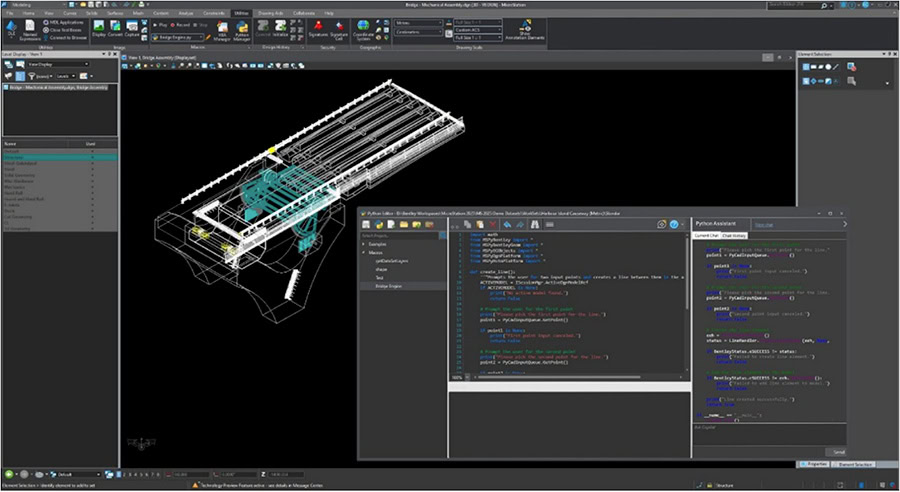
Beginners or experts can use Python Assistant to automate repetitive tasks, customize workflows, and unlock innovation with AI-generated scripts. It simplifies coding, accelerates productivity, and opens limitless possibilities for extending MicroStation’s capabilities—turning automation into a powerful advantage for every user.
Using Python Assistant in MicroStation:
- Automates repetitive tasks to boost efficiency.
- Generates scripts quickly—even for beginners.
- Enables custom workflows and advanced integrations.
- Unlocks innovation with Python’s vast ecosystem.
- Reduces manual effort, freeing time for high-value work.
Bentley Copilot (Technical Preview)
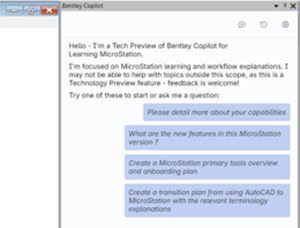
Bentley Copilot is your AI-powered assistant embedded in MicroStation, designed to accelerate onboarding, eliminate friction when finding answers, and deliver contextual guidance in natural language. It bridges knowledge gaps, adapts to your background, and transforms every question into a learning opportunity—helping teams work smarter and faster.
Using Bentley Copilot in MicroStation:
- Reduces onboarding time from days to hours.
- Provides contextual, natural-language guidance inside MicroStation.
- Bridges AutoCAD-to-MicroStation terminology gaps.
- Learns your company standards for personalized workflows.
- Improves productivity by eliminating downtime and guesswork.
3D Geospatial Context Dialog
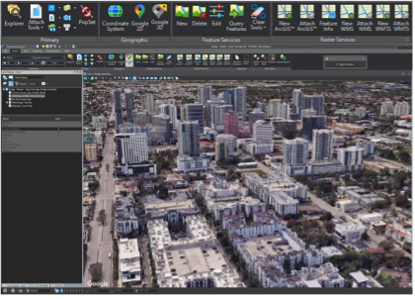
MicroStation’s 3D Geospatial Context Dialog delivers immersive real-world visualization by integrating curated global datasets like Cesium World Terrain, OSM Buildings, and Google Photorealistic 3D Tiles. Built on open 3D Tiles standards, it ensures interoperability, efficient streaming, and enhanced design decisions for infrastructure projects worldwide.
3D Geospatial Context in MicroStation:
- Access curated global datasets for real-world context.
- Supports open 3D Tiles for interoperability.
- Delivers immersive visualization for better design decisions.
- Streams massive datasets efficiently for smooth performance.
- Enhances collaboration with standards-based workflows.
Configurations Wizard
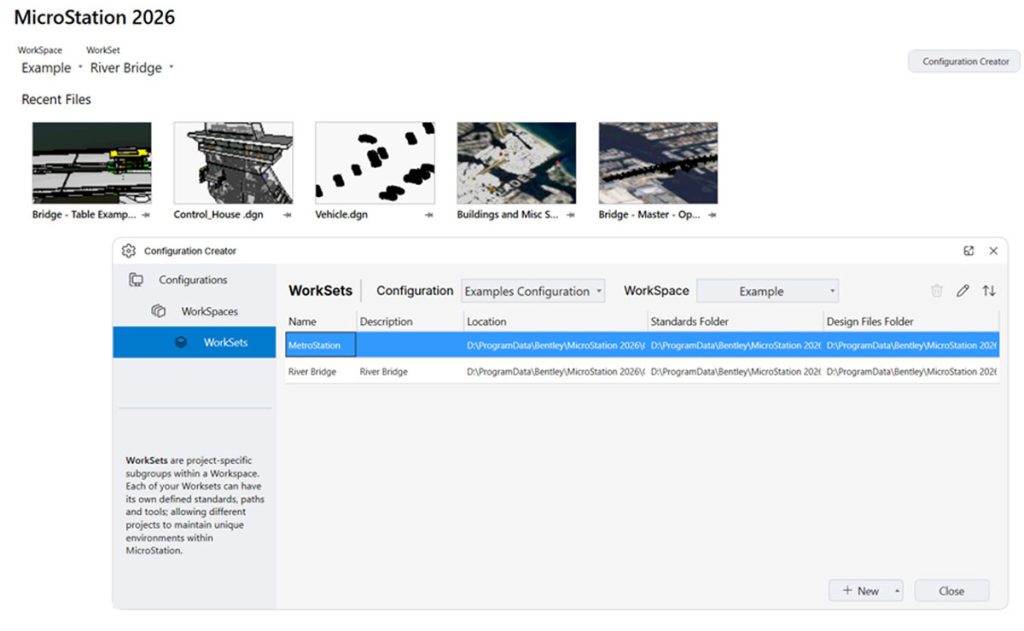
The Configurations Wizard delivers an intuitive, guided setup experience that removes scripting barriers and accelerates productivity in MicroStation. Using best‑practice templates, teams can quickly create consistent, standard‑ready configurations and get projects started faster—no scripting required.
The new Configurations Wizard in MicroStation provides:
- An intuitive, guided setup that eliminates complex scripting from configuration creation.
- Faster time to productivity with predefined, best‑practice templates.
- Consistent standards across projects with reusable configurations.
- Simplified configuration management for new setups or system resets.
Component Center 2.0
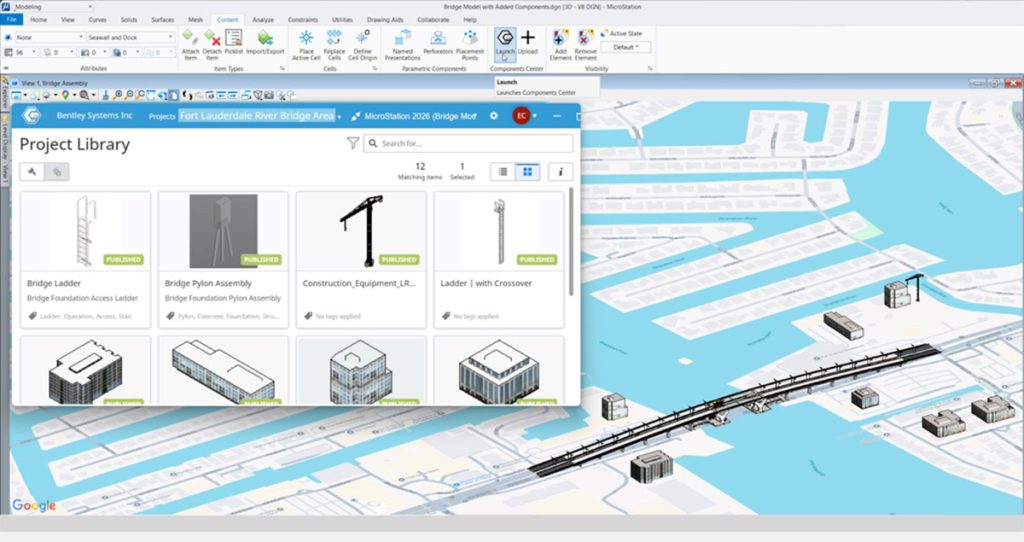
Component Center 2.0 is a smarter, cloud-based library for managing and reusing design components. With deeper integration, governance, and a modern UI, it ensures consistency, compliance, and scalability—connecting components from design to delivery and enabling iTwin-ready workflows for digital projects.
Using the new Component Center in MicroStation:
- Centralizes approved components for consistency and compliance.
- Integrates deeply with MicroStation and Bentley Infrastructure Cloud.
- Enables connected, traceable components for digital delivery.
- Improves collaboration and scalability for enterprise teams.
- Provides a modern, intuitive UI for easy navigation.
Updated Space Mouse integration
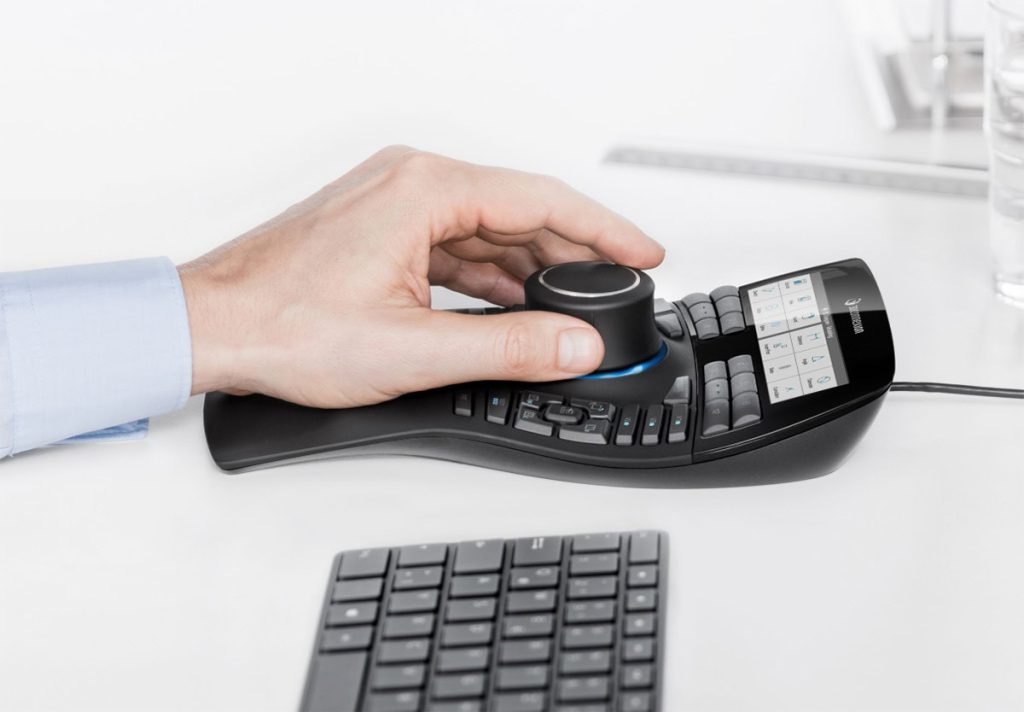
MicroStation’s updated Space Mouse integration delivers smooth, intuitive 3D navigation with advanced modes, SmartUI customization, and certified compatibility for all current and future devices. It enhances performance for large models, accelerates workflows, and ensures a future-proof experience for professionals who demand precision and speed.
The updated Space Mouse integration with MicroStation:
- Enhances 3D navigation with modern modes and SmartUI.
- Improves performance for large, complex models.
- Offers customizable workflows and certified compatibility.
- Future-proofs integration with all current and upcoming devices.
- Boosts productivity through intuitive, responsive controls.
